Official Picks
 Pinned
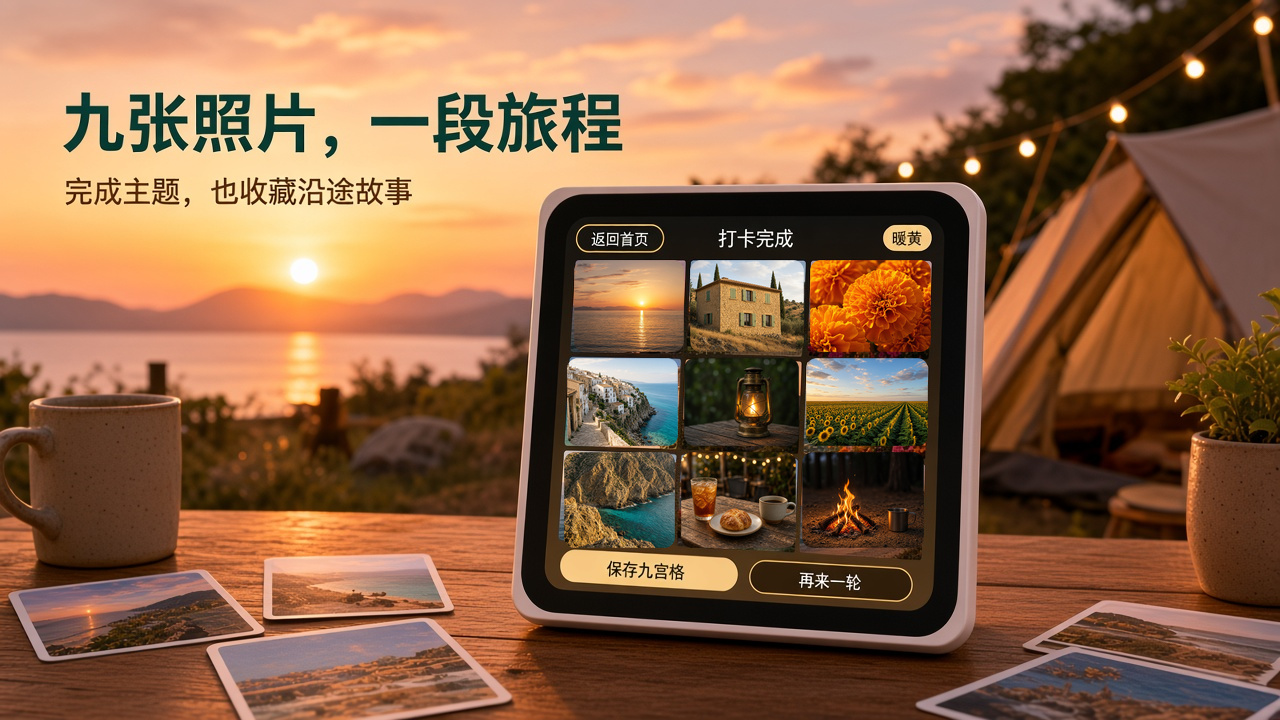
Travel check-in|What to shoot today? Turn it, and inspiration will come!
“Travel Check‑in” is a themed photography app built for ESP‑Mosaico. First, derive an inspirational theme from a color or shape, then complete nine shots, gathering the details that are easy to overlook during the journey into a 3×3 grid. It turns “what to shoot today” into a lightweight, fun travel challenge that can be started at any time.

 PinnedOfficial
ESP-Mosaico factory firmware (ESP-Claw)
This is the factory application firmware for ESP-Mosaico, built on ESP-Claw, integrating AI Agent, touch screen applications, and onboard peripherals into a single interface. Suitable for the ESP32‑S31 version of ESP-Mosaico, version **0.5.0**.
Art Masterpiece Lamp
Let famous paintings breathe on the table. Turn a splash of blue from *Starry Night* and a slice of gold from *The Kiss* into a lamp that belongs to you. **一隅光影 · atelier** is an offline‑running 8×8 art lamp: the left side of the screen shows the original artwork, the right side shows a mosaic of light and shadow, and an RGB LED matrix turns the painting into a small patch of color on your desk. The cover is an artistic illustration of light and shadow; subsequent images show the actual device screen and a studio preview. ## What you need ESP-Mosaico main board + **8×8 RGB LED matrix submodule**. The matrix can be plugged into the left or right slot; the application will detect the slot and compensate for orientation. If no matrix is present, you can still view the screen preview and drawing functions, and the interface will display “LED matrix not connected”. ## Let the masterpieces slowly light up Built‑in 8 public‑domain artworks: *Starry Night*, *Mona Lisa*, *Girl with a Pearl Earring*, *The Scream*, *The Great Wave off Kanagawa*, *The Kiss*, *Impression, Sunrise*, *Sunflowers*. - The original composition is converted into 64 color blocks, preserving the main colors and outlines. - Supports steady on, breathing, ripple, and automatic artwork slideshow. - Default **65 % brightness, 4‑second breathing**; brightness levels 15 / 25 / 35 / 50 / 65 / 80 / 100 %; rhythm 2 / 4 / 6 / 10 seconds. - Black background, cream‑colored backing paper, cut‑out buttons, and serif lettering turn the small screen into a night‑time studio. ## Create your own light painting

AURA Spectrum Soundfield
Turn ESP-Mosaico into a Bluetooth speaker that understands music: a round screen and an 8×8 LED matrix synchronously parse beats, melody, and high frequencies, giving each segment of music its own light. ## Highlights - Connect via classic Bluetooth from a phone; music plays directly from the onboard speaker - Six‑band real‑time analysis, not just the beat: low frequencies, melody, and high frequencies jointly drive the display and LED matrix - Beat triggers a double ripple that expands outward; continuous beats are responded to quickly - Automatic color changes according to the section’s mood: bluish‑cyan for calm, purple for groovy, red‑orange and magenta for intense parts - LED on/off, position, brightness, and color follow the music; quiet sections deliberately stay black - Round screen shows song title, artist, and album cover - Supports microphone mode, allowing ambient sound to become real‑time lighting ## Usage 1. Insert the 8×8 Matrix LED sub‑board into the left expansion slot of ESP-Mosaico. 2. After powering on, connect to the device in the phone’s Bluetooth settings and play music directly. 3. Press the AI button to switch between Bluetooth speaker mode and microphone mode. ## Audio Optimization Prioritize direct‑through Codec for 44.1/48 kHz audio, and add digital headroom, pause‑mute, and a larger PCM buffer to reduce distortion, background noise, and playback stutter. Target device: ESP-Mosaico (ESP32‑S31) Expansion hardware: 8×8 M
Mosaico Gamer
# Mosaico Gamer · About me having a blast playing childhood games on Mosaico Turn the ESP-Mosaico into a handheld: a single firmware contains four engines, GBA (gpSP), Game Boy / Game Boy Color (gnuboy), Doom, and Quake 1. Game files reside on the onboard NAND, and you can start playing by selecting one from the game list. It has sound, GBA saves are automatically written back to NAND, and they won’t be lost on power off. You need to plug in at least one joystick board to play; plugging in two provides a better experience: the left one controls movement, the right one handles buttons and view, making it feel like a dual‑joystick handheld. The firmware does not include any games; please provide legally obtained ROM, WAD, or PAK files yourself. ## Changelog Relative to the version released on 2026-09-30: - **Network configuration**: When entering “Upload over Wi‑Fi”, if the Recovery page or this app has already saved Wi‑Fi, it will connect directly and display the address, without needing to scan and enter a password. To switch networks, press A on this page. - **Save**: GBA and GB/GBC write the save to NAND about 0.3 seconds after the game finishes saving, and also write once again on exit. It no longer checks and writes the entire segment roughly every 30 seconds, nor during gameplay.

Living Worlds
Travel around four breathing worlds on your wrist: Aurora Icefield, Deep Sea Coral, Cloud Sea Sunrise, and Tropical Rainforest. ## Experience Overview Living Worlds is an immersive 360° panoramic application designed for the ESP-Mosaico round screen. Drag the screen to change the view and freely switch among four distinct scenes. Dynamic aurora, jellyfish, birds, waterfalls, and particle effects evolve over time, and each world features its own ambient sound. ## Key Features - Four interactive scenes: Aurora, Ocean, Sunrise, Jungle - Horizontal drag for panning, vertical drag for looking up or down - Three FX dynamic effect levels: Calm, Living, Vivid - Independent ambient sound for each scene - Automatically resume tour after about three seconds of inactivity - Rendered for 480×480 RGB565 round screen ## Controls - Drag the screen: change viewing direction - Tap the bottom scene button: switch worlds - Tap the top FX: change dynamic effect intensity ## Scene Preview | Aurora | Ocean | | --- | --- | |  |  | | Sunrise | J | | --- | --- | |  |  |

Software Gallery
Travel check-in|What to shoot today? Turn it, and inspiration will come!
“Travel Check‑in” is a themed photography app built for ESP‑Mosaico. First, derive an inspirational theme from a color or shape, then complete nine shots, gathering the details that are easy to overlook during the journey into a 3×3 grid. It turns “what to shoot today” into a lightweight, fun travel challenge that can be started at any time.
OfficialESP-Mosaico factory firmware (ESP-Claw)
This is the factory application firmware for ESP-Mosaico, built on ESP-Claw, integrating AI Agent, touch screen applications, and onboard peripherals into a single interface. Suitable for the ESP32‑S31 version of ESP-Mosaico, version **0.5.0**.
Art Masterpiece Lamp
Let famous paintings breathe on the table. Turn a splash of blue from *Starry Night* and a slice of gold from *The Kiss* into a lamp that belongs to you. **一隅光影 · atelier** is an offline‑running 8×8 art lamp: the left side of the screen shows the original artwork, the right side shows a mosaic of light and shadow, and an RGB LED matrix turns the painting into a small patch of color on your desk. The cover is an artistic illustration of light and shadow; subsequent images show the actual device screen and a studio preview. ## What you need ESP-Mosaico main board + **8×8 RGB LED matrix submodule**. The matrix can be plugged into the left or right slot; the application will detect the slot and compensate for orientation. If no matrix is present, you can still view the screen preview and drawing functions, and the interface will display “LED matrix not connected”. ## Let the masterpieces slowly light up Built‑in 8 public‑domain artworks: *Starry Night*, *Mona Lisa*, *Girl with a Pearl Earring*, *The Scream*, *The Great Wave off Kanagawa*, *The Kiss*, *Impression, Sunrise*, *Sunflowers*. - The original composition is converted into 64 color blocks, preserving the main colors and outlines. - Supports steady on, breathing, ripple, and automatic artwork slideshow. - Default **65 % brightness, 4‑second breathing**; brightness levels 15 / 25 / 35 / 50 / 65 / 80 / 100 %; rhythm 2 / 4 / 6 / 10 seconds. - Black background, cream‑colored backing paper, cut‑out buttons, and serif lettering turn the small screen into a night‑time studio. ## Create your own light painting
AURA Spectrum Soundfield
Turn ESP-Mosaico into a Bluetooth speaker that understands music: a round screen and an 8×8 LED matrix synchronously parse beats, melody, and high frequencies, giving each segment of music its own light. ## Highlights - Connect via classic Bluetooth from a phone; music plays directly from the onboard speaker - Six‑band real‑time analysis, not just the beat: low frequencies, melody, and high frequencies jointly drive the display and LED matrix - Beat triggers a double ripple that expands outward; continuous beats are responded to quickly - Automatic color changes according to the section’s mood: bluish‑cyan for calm, purple for groovy, red‑orange and magenta for intense parts - LED on/off, position, brightness, and color follow the music; quiet sections deliberately stay black - Round screen shows song title, artist, and album cover - Supports microphone mode, allowing ambient sound to become real‑time lighting ## Usage 1. Insert the 8×8 Matrix LED sub‑board into the left expansion slot of ESP-Mosaico. 2. After powering on, connect to the device in the phone’s Bluetooth settings and play music directly. 3. Press the AI button to switch between Bluetooth speaker mode and microphone mode. ## Audio Optimization Prioritize direct‑through Codec for 44.1/48 kHz audio, and add digital headroom, pause‑mute, and a larger PCM buffer to reduce distortion, background noise, and playback stutter. Target device: ESP-Mosaico (ESP32‑S31) Expansion hardware: 8×8 M
Mosaico Gamer
# Mosaico Gamer · About me having a blast playing childhood games on Mosaico Turn the ESP-Mosaico into a handheld: a single firmware contains four engines, GBA (gpSP), Game Boy / Game Boy Color (gnuboy), Doom, and Quake 1. Game files reside on the onboard NAND, and you can start playing by selecting one from the game list. It has sound, GBA saves are automatically written back to NAND, and they won’t be lost on power off. You need to plug in at least one joystick board to play; plugging in two provides a better experience: the left one controls movement, the right one handles buttons and view, making it feel like a dual‑joystick handheld. The firmware does not include any games; please provide legally obtained ROM, WAD, or PAK files yourself. ## Changelog Relative to the version released on 2026-09-30: - **Network configuration**: When entering “Upload over Wi‑Fi”, if the Recovery page or this app has already saved Wi‑Fi, it will connect directly and display the address, without needing to scan and enter a password. To switch networks, press A on this page. - **Save**: GBA and GB/GBC write the save to NAND about 0.3 seconds after the game finishes saving, and also write once again on exit. It no longer checks and writes the entire segment roughly every 30 seconds, nor during gameplay.
Living Worlds
Travel around four breathing worlds on your wrist: Aurora Icefield, Deep Sea Coral, Cloud Sea Sunrise, and Tropical Rainforest. ## Experience Overview Living Worlds is an immersive 360° panoramic application designed for the ESP-Mosaico round screen. Drag the screen to change the view and freely switch among four distinct scenes. Dynamic aurora, jellyfish, birds, waterfalls, and particle effects evolve over time, and each world features its own ambient sound. ## Key Features - Four interactive scenes: Aurora, Ocean, Sunrise, Jungle - Horizontal drag for panning, vertical drag for looking up or down - Three FX dynamic effect levels: Calm, Living, Vivid - Independent ambient sound for each scene - Automatically resume tour after about three seconds of inactivity - Rendered for 480×480 RGB565 round screen ## Controls - Drag the screen: change viewing direction - Tap the bottom scene button: switch worlds - Tap the top FX: change dynamic effect intensity ## Scene Preview | Aurora | Ocean | | --- | --- | |  |  | | Sunrise | J | | --- | --- | |  |  |
Can't stand fruit
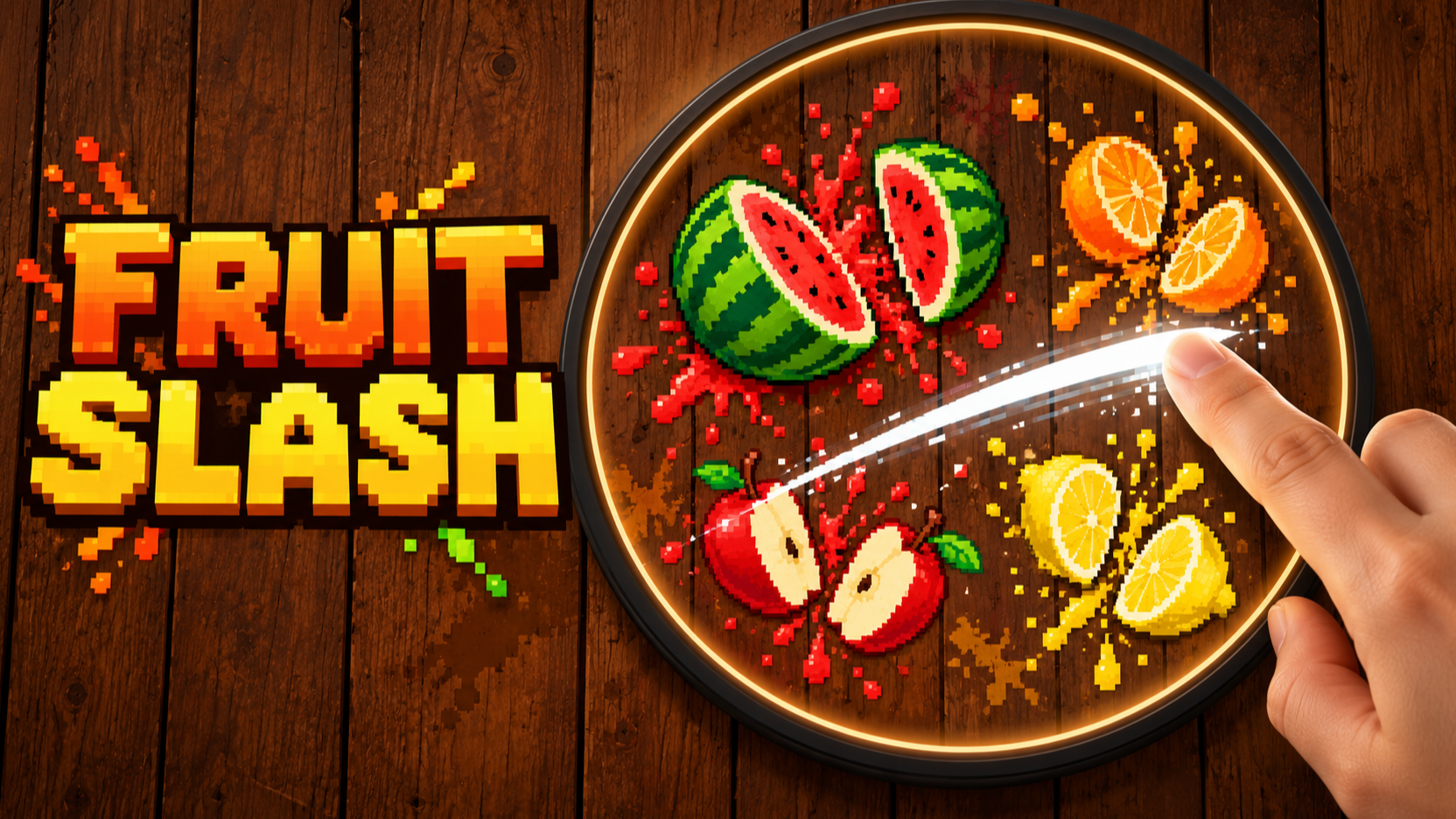
Draw blade flashes on ESP-Mosaico, slice fruits continuously, gather enough energy and then shake out a shockwave! Wood‑grain pixel style, with sound effects and vibration, challenge your highest score.
Plant identification
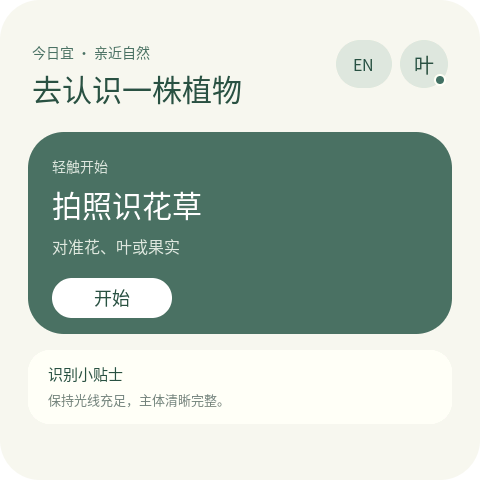
Take photos on ESP-Mosaico to identify flowers and plants. After connecting to Wi‑Fi, you can view plant names in Chinese and English, scientific family and genus names, Baidu Baike/Wikipedia summaries, and listen to audio explanations, with support for onboard NAND encyclopedia collection. The firmware already includes the Pl@ntNet Key, so you can experience it directly after installation.
Sit and Guard from the Beginning
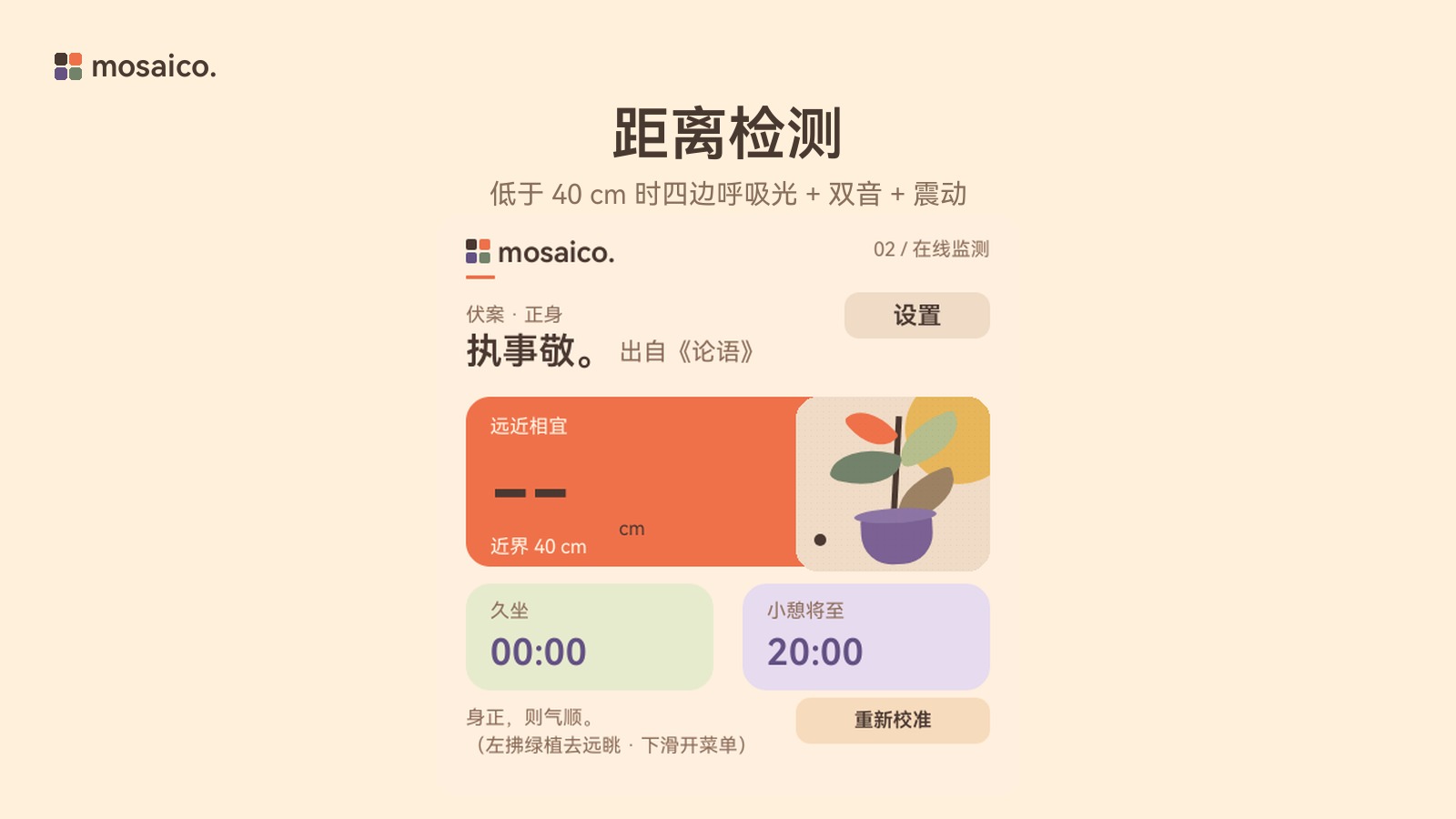
Use a ToF distance sensor to protect posture and eye‑use rhythm. Current version 1.0.0, requires an external ToF sub‑board module.

Mosaico Chess International Chess
A chess application designed for the ESP-Mosaico 480×480 touch screen. Supports three levels of computer AI play, as well as magnetic coupling pairing of two devices and, after separation, a wireless two‑player duel based on ESP-NOW; includes the full chess rules (castling, en passant capture, promotion to one of four pieces, checkmate/stalemate/threefold repetition/50‑move rule/insufficient material automatic draw) and a bilingual Chinese‑English interface.

Magic Tower
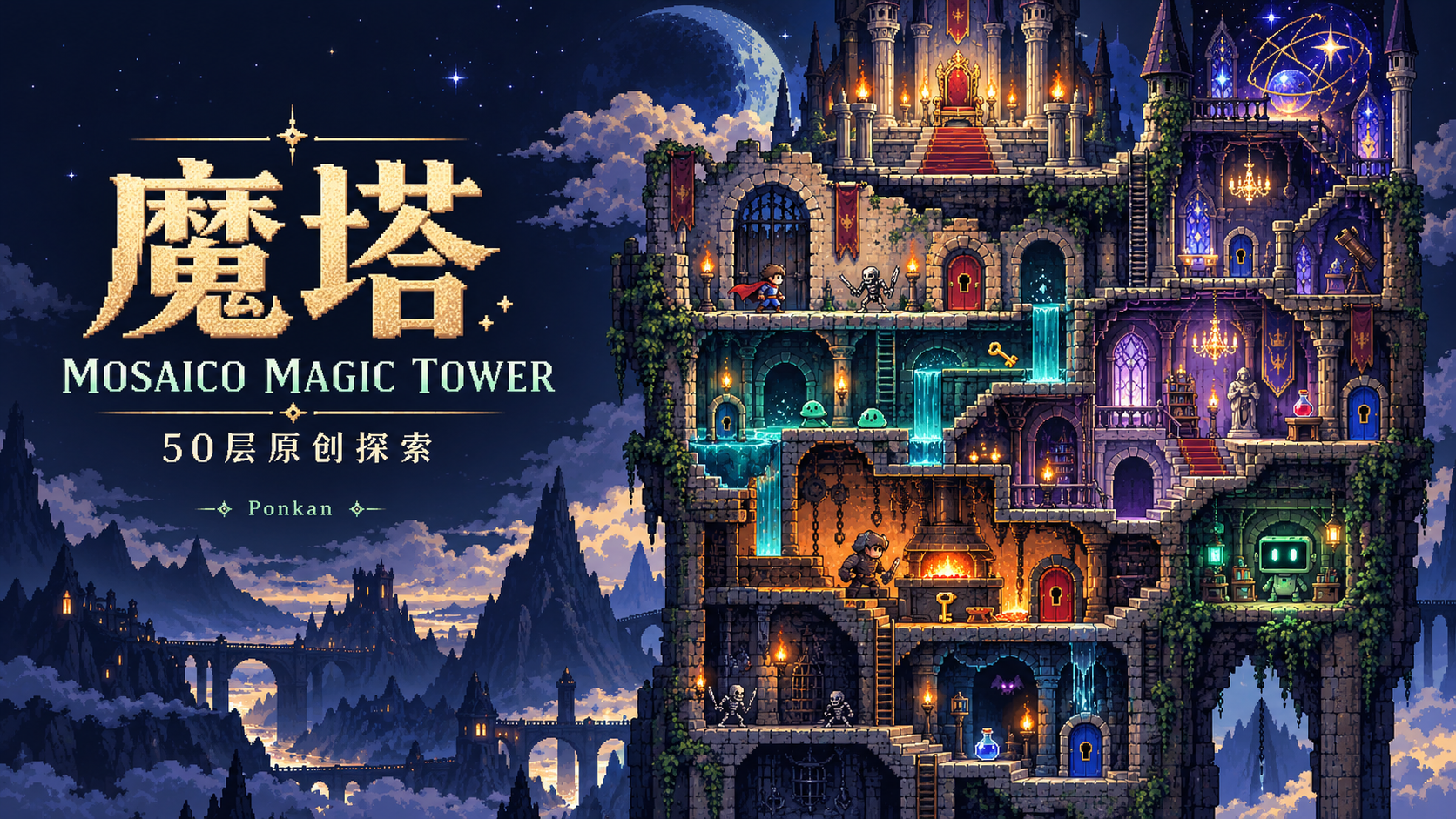
(1.8.0-rc.5) is a fifty‑floor original magic tower built for ESP-Mosaico. It supports switching between Chinese and English at any time, includes battle preview, resource management, hidden rooms, NPC side quests, and original soundtrack. Changing floors automatically saves, gradually unlocks cross‑floor teleportation, and challenges the fifty‑floor trial on a square screen.

Local Letters | Local News and Subscription Reading
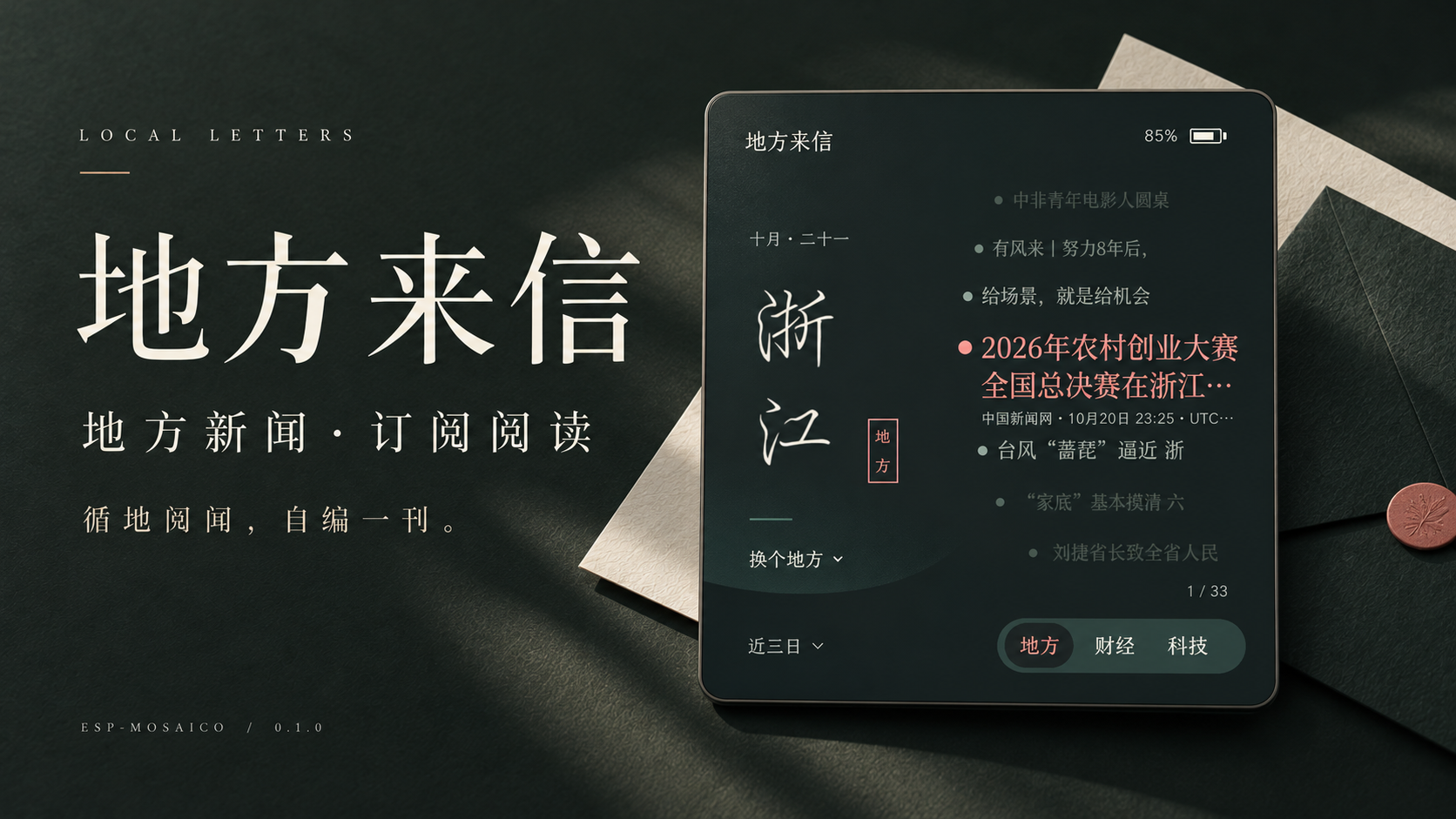
Follow a place name and read local happenings; pick a few subscriptions to create your own publication. Local letters gather news, finance, technology, and your favorite media from across the region into your palm. Swipe lightly to browse, tap to read in depth, switch articles at any time, and you can also customize sections and reading schedules. A deep‑blue page brings sounds from near and far, letting your daily intake unfold with composure.