

Sound Motion · Microphone Visualization200185
Let the sound become neon. Use the onboard microphone to display five real-time effects: waveform, 48‑band spectrum, circular, spectrogram, and particles; tap the show/hide menu to support automatic carousel. ESP-Mosaico ESP32‑S31, version 1.1.0.

Sound in Motion · Microphone Visualization
Turn speech, claps, and music into neon on the screen. Using the ESP-Mosaico onboard microphone, present five real‑time sound visualizations on a 480×480 touch screen, without any additional modules.
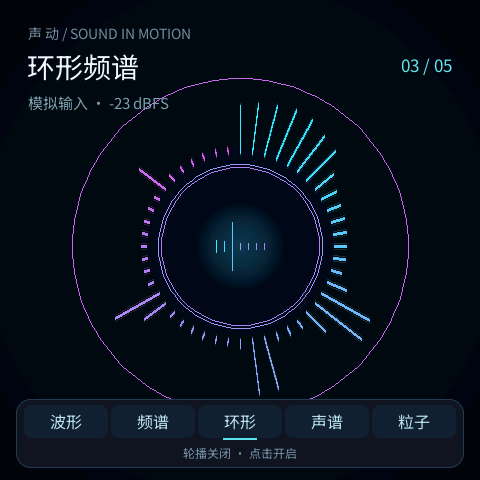
Five Sound Effects
| Mode | How the Display Changes with Sound |
|---|---|
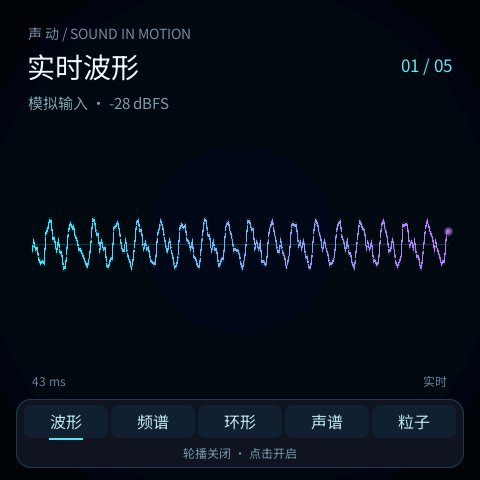
| Real‑time Waveform | Horizontal waveform showing amplitude changes of microphone samples. |
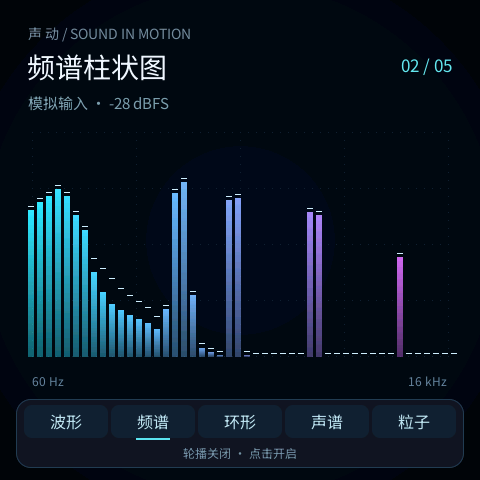
| Spectrum Bar Chart | 48 spectrum bars arranged from low to high frequency, with peak markers. |
| Circular Spectrum | Band energy changes the length of circular spectrum bars, volume drives a central halo. |
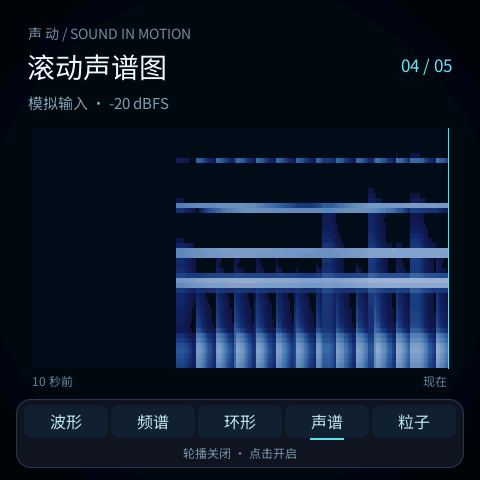
| Scrolling Spectrogram | Time flows leftward, vertical axis represents frequency, color records sound energy. |
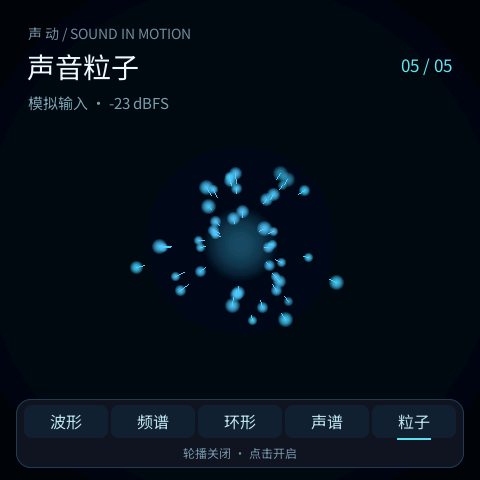
| Sound Particles | Volume controls particle count and speed; low‑frequency transients trigger diffusion, high frequencies affect color. |
How to Operate
- After launch, it defaults to the real‑time waveform with autoplay disabled; the first‑time operation tip hides after 5 seconds.
- Tap an empty area of the screen to show the floating menu; tap again to hide it immediately.
- Tap the mode button at the bottom to switch effects; tap “Autoplay” to enable sequential switching every 15 seconds.
- Manually selecting a mode exits autoplay. The menu auto‑hides after 5 seconds of inactivity, and remains visible while touching.
- When quiet, the effect naturally fades; if microphone capture fails, the screen shows a prompt and a retry option.
Hardware and Privacy
- Compatible with the ESP-Mosaico ESP32‑S31 board, 480×480 touch screen, and onboard microphone; no camera, Ethernet, or battery expansion board required.
- The app UI is in Chinese. Sound is processed locally in real time on the device, with no recording saved, no audio uploaded, and no speaker playback.
- Levels use dBFS and cannot serve as a calibrated sound pressure meter.
- Version 1.1.0 uses Iris 0.2 / Vibe Mode ABI 2 integration. Please use the platform‑provided compatible installation process and do not treat it as an incremental update for the older Iris 0.1 app.
Real‑World Device and Verification
Below are actual screenshots of version 1.1.0 running on the device, with the menu hidden. The other images are from the native simulator using synthetic audio input; real‑world results will vary with ambient sound.
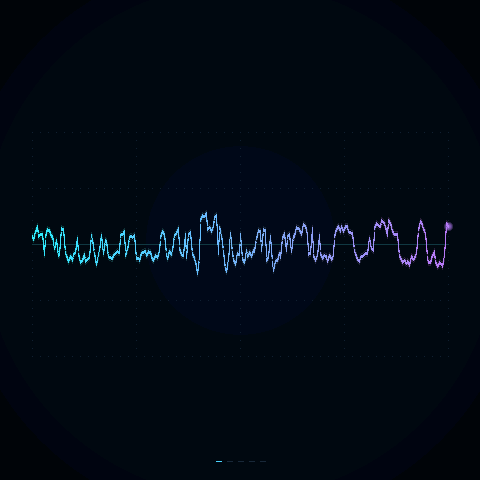
Audio algorithm tests, the native simulator’s five modes, menu, autoplay, and error‑retry flows have all passed; version 1.1.0 has been built, installed, and short‑duration real‑device capture verified. The current real‑device waveform log runs at about 20 FPS, with smoothness varying by mode and device state. A 15‑minute continuous autoplay and end‑to‑end audio‑visual latency measurement have not yet been completed for this release.
The app’s own source code is licensed under Apache‑2.0; third‑party components retain their respective licenses. The display font is Noto Sans SC, under the accompanying SIL Open Font License 1.1.
English
Sound in Motion turns the ESP-Mosaico onboard microphone into five neon visualizations: waveform, 48-band spectrum, circular spectrum, scrolling spectrogram and sound particles.
Tap the background to show or immediately hide the controls. Choose a mode or enable autoplay, which advances every 15 seconds. A manual mode selection disables autoplay; controls hide after 5 seconds of inactivity.
Requires the ESP-Mosaico ESP32-S31 board with its 480×480 touch display and onboard microphone. The app UI is Chinese. Audio is processed locally without recording, audio upload or speaker playback. The waveform image marked “实机截图” is from the device; the other images use synthetic audio in the native simulator. Version 1.1.0 uses the Iris 0.2 / Vibe Mode ABI 2 integration.
Comments (0)