

FM92.1 Listen to the Sound of the World!!200040
FM92.1 · Global Internet Radio Rotate the globe to listen to world radio stations. FM92.1 runs on ESP-Mosaico: the right half of the globe is used to select a country, the left side lists that country's Radio Browser stations; a tap will stream them online. Favorited stations appear on the FAVORITES page, and a blue arc connects their countries back to your current location. Interface overview 
FM92.1 · Global Internet Radio
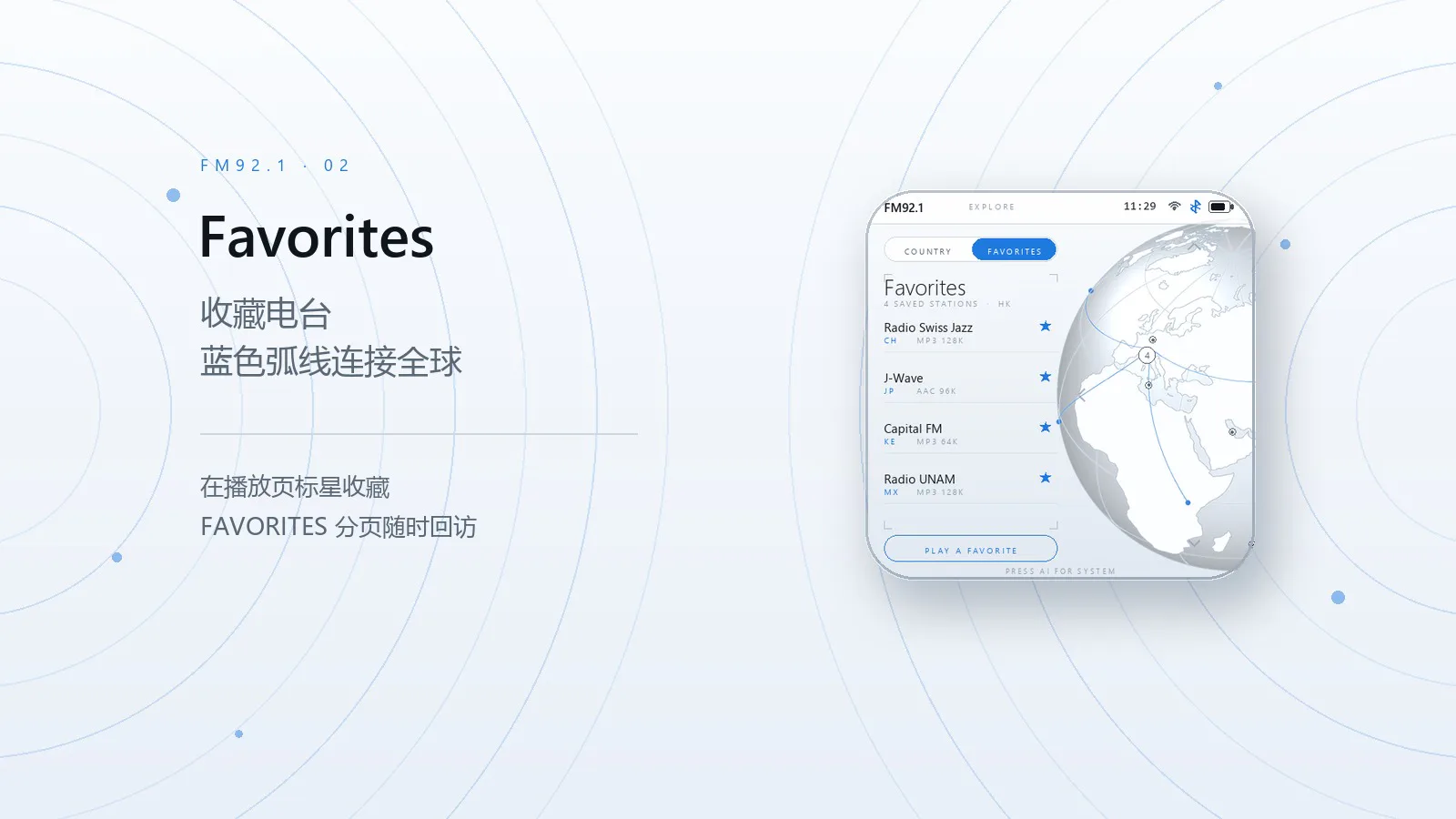
Rotate the globe and listen to stations around the world. FM92.1 runs on ESP-Mosaico: the right half of the globe is used to select a country, the left side lists that country's Radio Browser stations, and a tap starts streaming. Favorited stations appear on the FAVORITES page and are connected back to your current location with blue arcs.
Changelog · 1.0.6
- Removed the EN / Chinese button from the drop‑down panel. The interface language continues to follow the system language and can no longer be switched separately within the radio.
- Playback and Wi‑Fi are scheduled separately. When the buffer is exhausted, it only waits for more data instead of pausing extra and treating the currently playing station as a broken stream.
- If a station fails to load, tapping another station will immediately go to the playback page without waiting for the previous connection to finish.
- The catalog only retains MP3s that can be played directly, and shortens station‑search requests. Station connections are forced to use IPv4 to avoid the network discarding IPv6 addresses and showing “station unavailable”.
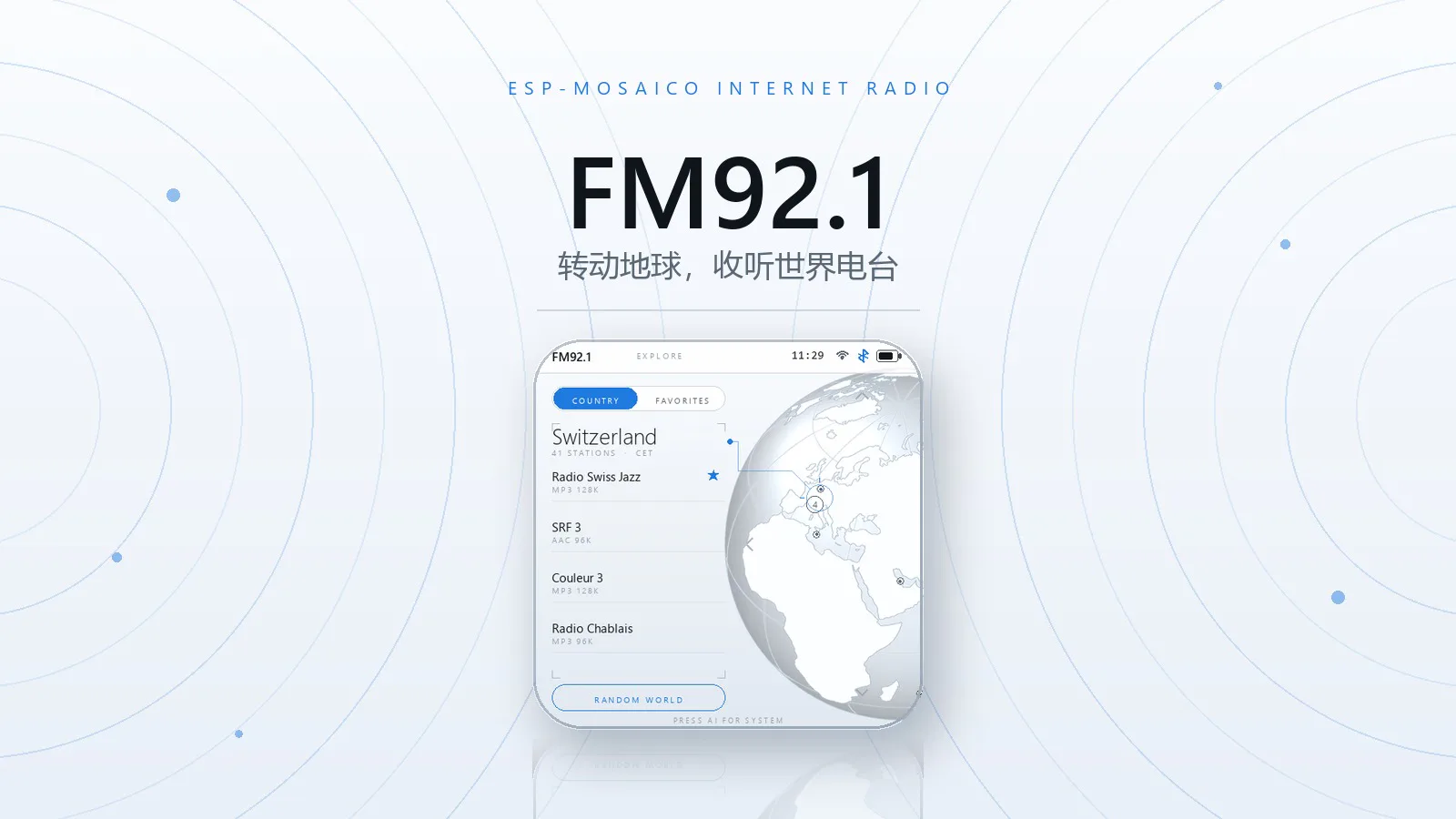
Interface Overview
User Guide
Currently Available
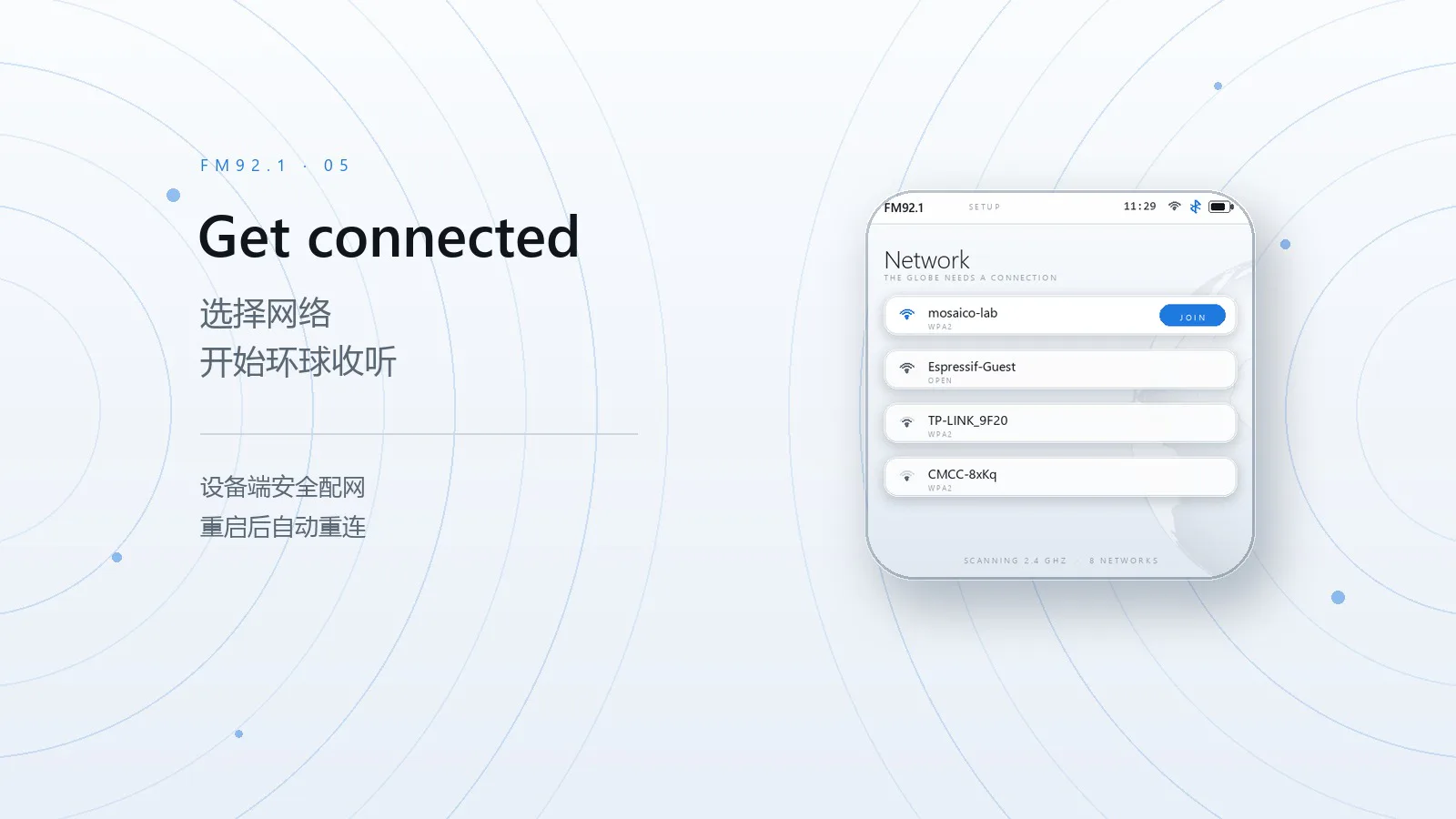
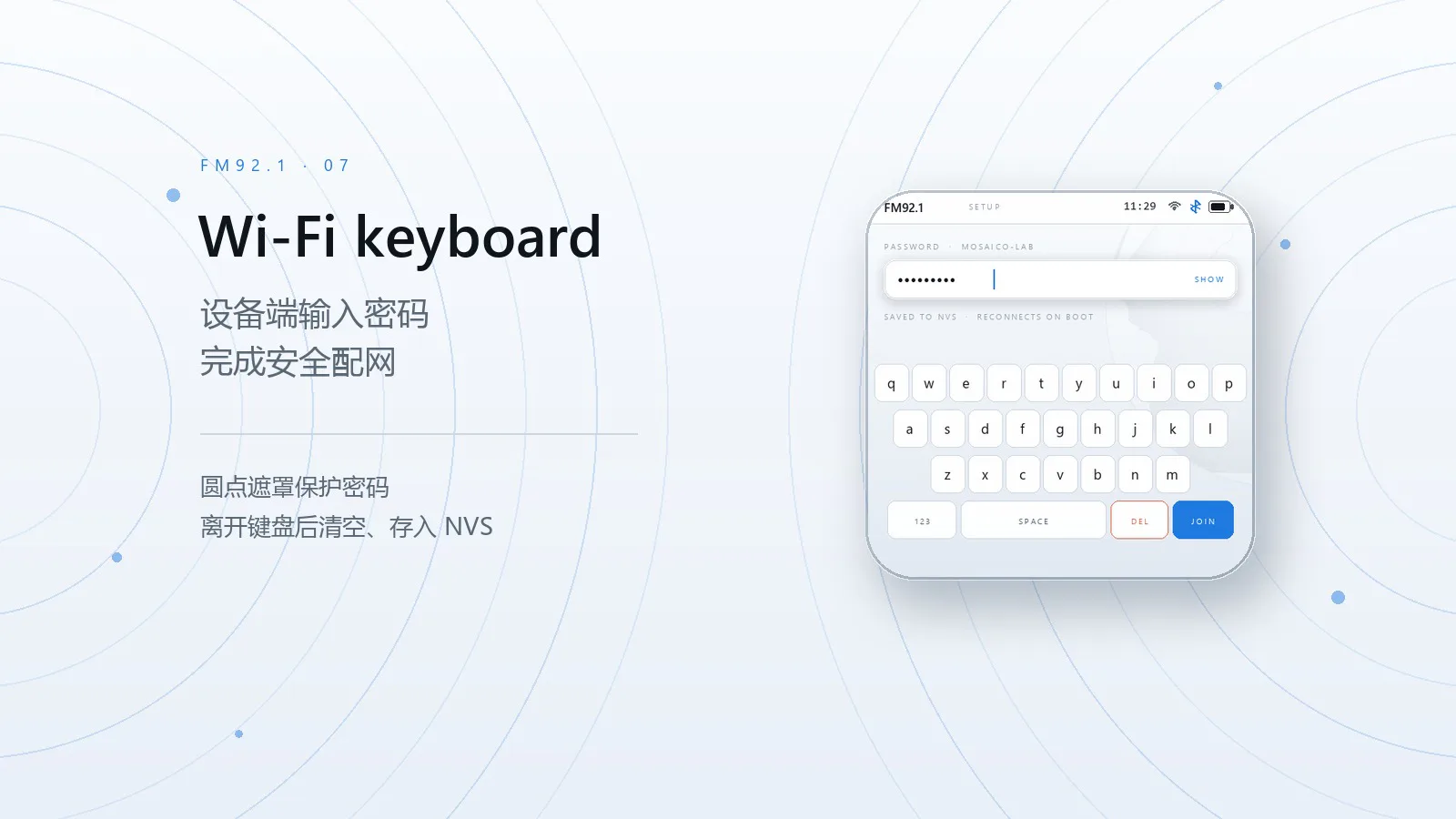
- First-time network setup: If the device has no Wi‑Fi yet, it will first go to the network page. Select a hotspot, enter the password on the keyboard page, then tap JOIN. The password is shown as dots on the screen and is cleared after leaving the keyboard; the credentials are stored in the device NVS and the device will attempt to reconnect automatically after a reboot.
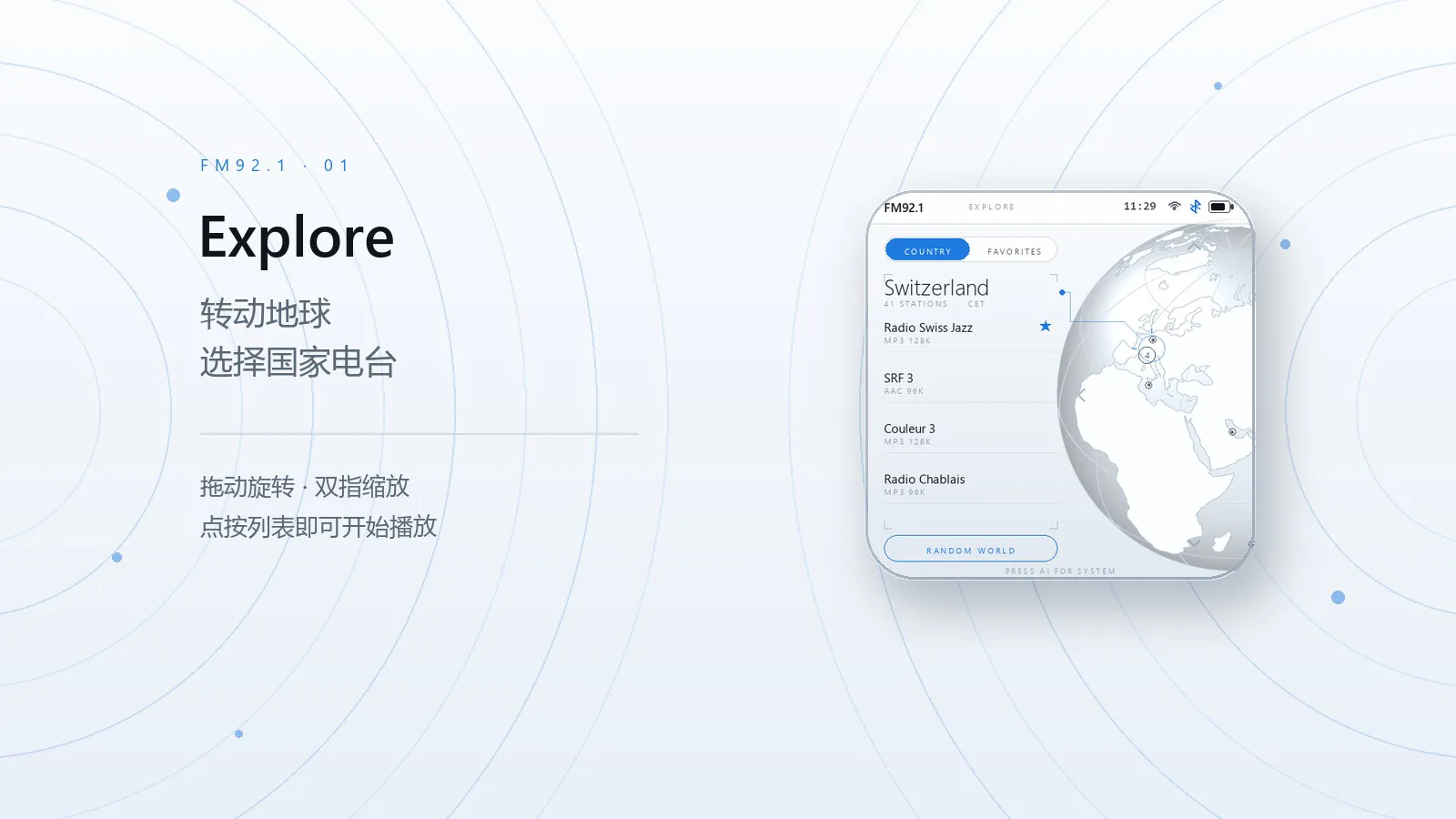
- Rotate the globe: On the explore page, drag with a single finger on the empty area on the right side; the globe rotates accordingly. The list does not scroll horizontally while dragging; to change country, rotate the target country near the list side, then tap its marker or wait for the list to refresh.
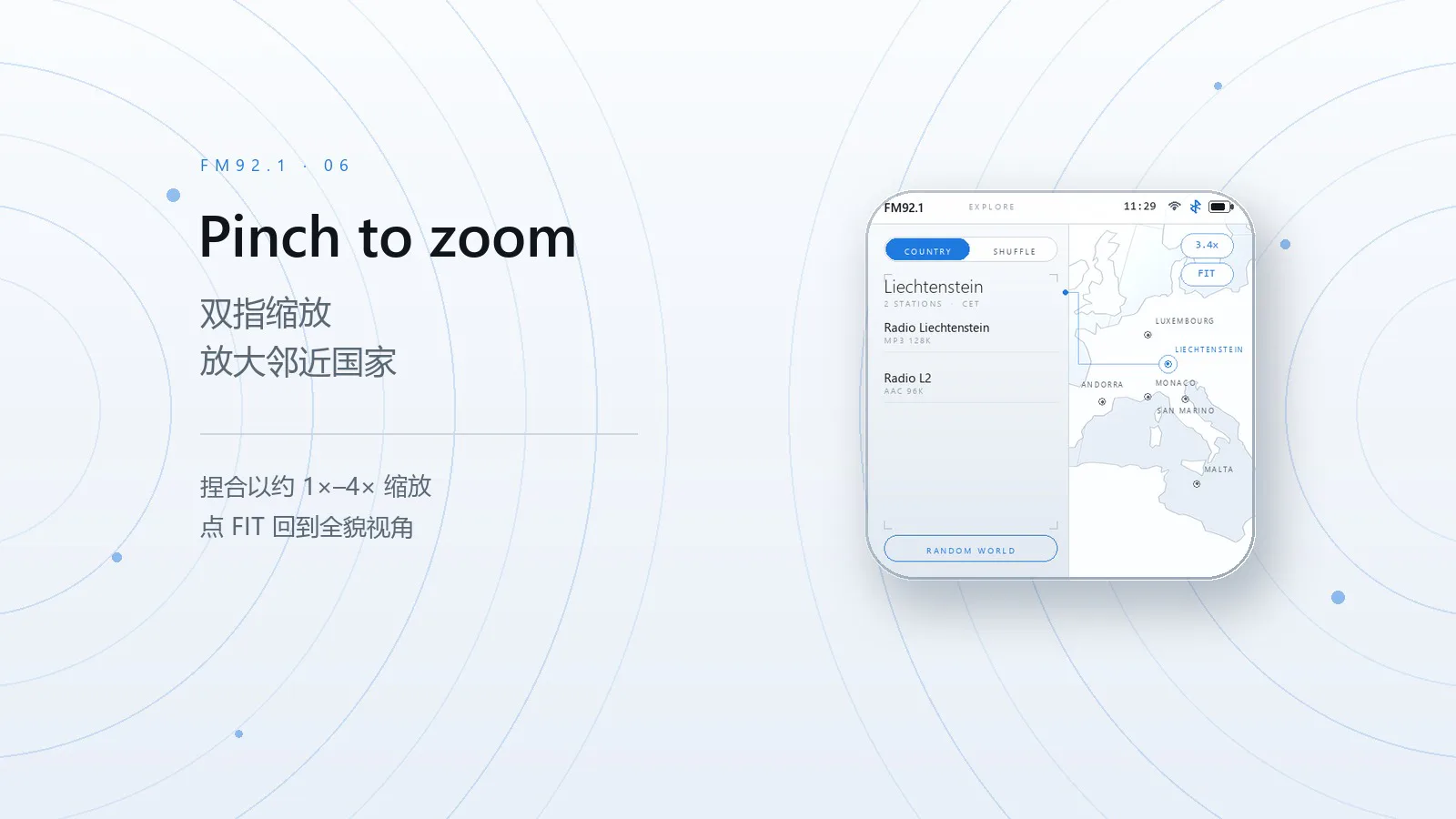
- Two‑finger pinch‑zoom: Pinch or spread two fingers; the globe scales between roughly 1×–4× with the center at the midpoint of the fingers. A scale readout appears during zoom; tapping FIT returns to a view that fits the whole globe. Zooming does not pan the view separately.
- Browse stations: The COUNTRY tab paginates the list of stations for the current country; you can scroll up and down. Tap a row to enter the playback page and start streaming. The FAVORITES tab shows only the stations you have starred.
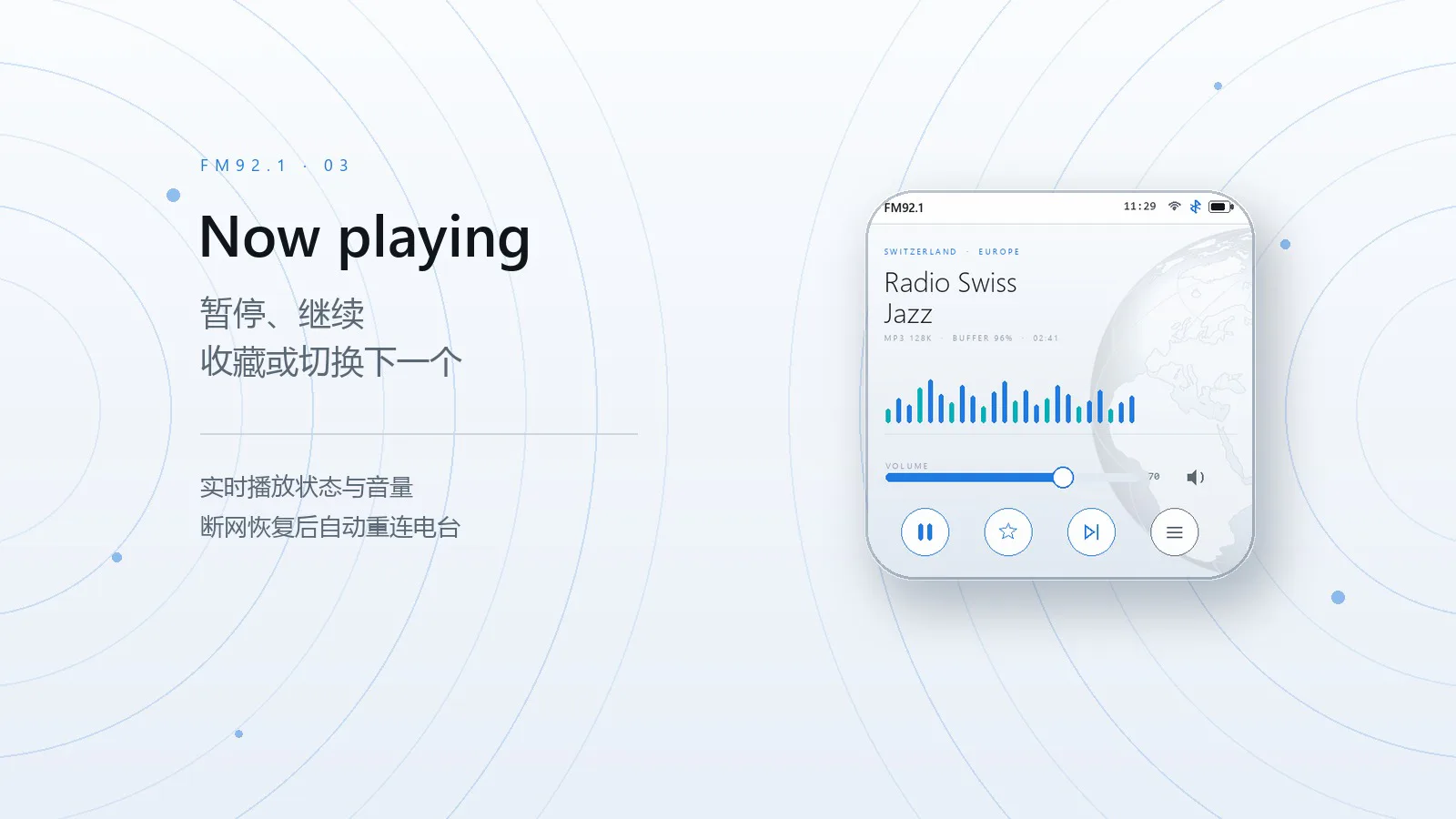
- Playback controls: On the playback page you can pause / resume, star to favorite, skip to the next track, and return to the list. Volume is adjusted with the bottom slider. If the stream is interrupted and Wi‑Fi recovers, it will automatically retry a limited number of times; if it still fails, a “station unavailable” message is shown.
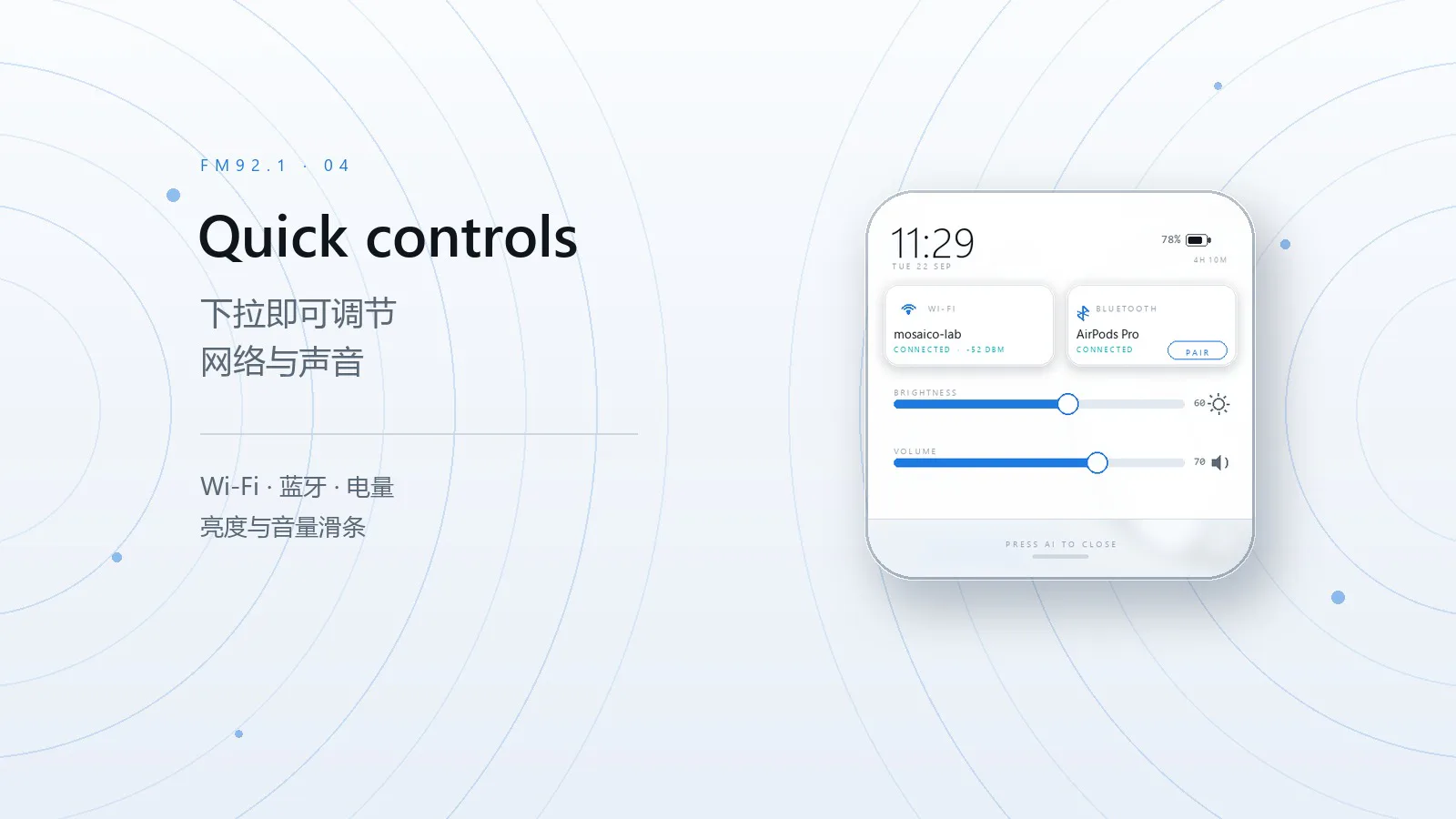
- System panel: Pull down from the top bar or press the AI button to open the brightness, volume, battery, Wi‑Fi, and Bluetooth controls. The interface language follows the system language; there is no separate Chinese/English button on the panel. When the panel is open, explore gestures are paused; press AI again or swipe up to close.
App Tips
- The FM92.1 logo is fixed at the top‑left corner of the top bar and will not be replaced by station names.
- Favorites are added by tapping the star on the playback page; the blue arcs on the globe originate from the country of your public IP and connect to the countries of your favorited stations.
- Only directly playable MP3s are listed.
.m3u8,.m3u,.pls, HLS streams, and proxy URLs do not appear in the list. Station search retrieves one page of results at 48–192 kbps. - Bluetooth headphones and the LW/SW tuning page are future features; the current version focuses on touch‑screen + Wi‑Fi listening.
Future Pairings
Future versions will pair with a joystick board, making list browsing and zooming more immersive, but it is not a prerequisite for listening. This version can complete network setup, country selection, playback, and favoriting using just the touch screen.
Technical Overview
- Target hardware: ESP-Mosaico (ESP32‑S31)
- Category: Display and HMI / Audio
- Firmware format: Iris
- License: Apache-2.0
Comments (0)